

A sales account is the income account a product’s sales are recorded against — for example 200 Sales - Wholesale Coffee. Each product can have one, and it’s carried onto invoices and into Xero.
New 2026-10-17: the Sales accounts screen has been live since August 2026 but wasn’t documented until now.
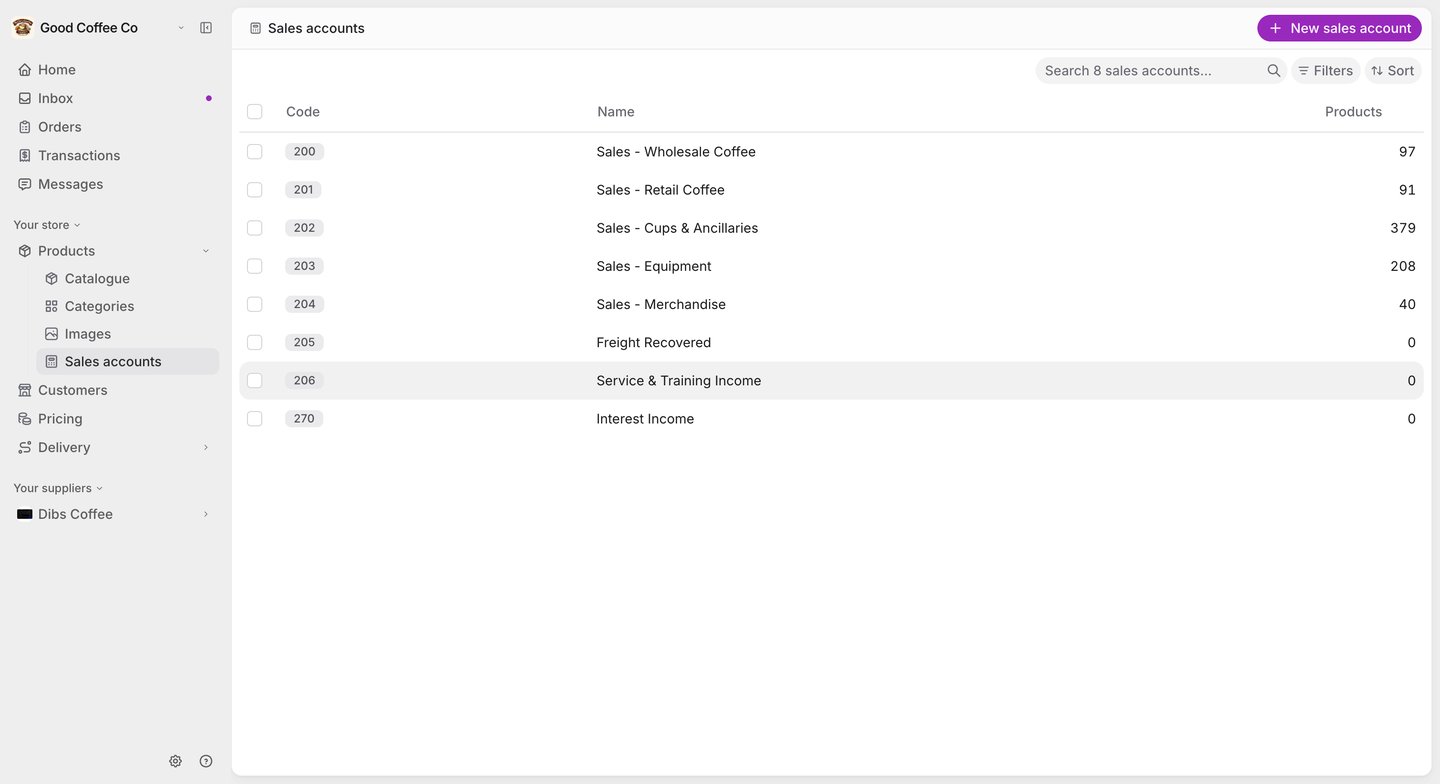
The Sales accounts list showing each account's code (200, 201, 202 and so on), its name, and how many products use it, with a New sales account button.

Before you begin

You need to be a supplier administrator to view or manage sales accounts. If you’ve connected Xero, your Xero sales accounts are brought into FikaTrade and kept in step on the Sync screen — see Two-way product sync with Xero.

Create a sales account

  1. Go to Products → Sales accounts and select New sales account.
  2. Enter a Sales account code — it must be unique — and an optional Sales account name.
  3. Select Create sales account.

Assign a sales account to a product

Choose the Sales account when you create or edit a product. You can also set it for many products at once with the catalogue’s bulk update, or through a products import. A sales account only affects how sales are grouped and reported. It doesn’t change which customers can buy a product or what they pay — pricing groups decide that.

Edit or delete a sales account

Select an account in the list to edit its code or name. Changes apply from then on; orders and invoices already created keep the account they were created with. Deleting a sales account is permanent. FikaTrade won’t let you delete one that products still depend on — it tells you why instead.