

Corrected 2026-08-25: this page previously described a conditional
outcome — permanent deletion for a customer with no order history, versus
archiving for one with history. That’s not what the real “Delete” action on
a customer does. Traced the actual API route
(
delete_customer_company_for_supplier in router.py) to its
implementation and confirmed it always archives, unconditionally —
order history has no effect on the outcome. The conditional
delete-vs-archive logic does exist in the codebase
(CompaniesService.delete_company), but nothing in the customer-facing UI
calls it — it’s not reachable from this screen. There’s no true permanent
deletion available from the customer Delete button, regardless of history.Before you begin
Any team member can use either action.Mark a customer Inactive
This is the lighter-weight, reversible option. Open the customer’s record, select Edit, and set Availability to Inactive. This is a status flag on the customer record. We haven’t verified whether it blocks the customer from placing new orders, so treat it as a way to flag a customer as no longer active rather than a guaranteed order block. You can set it back to Active at any time.Delete a customer
From a customer’s record, open Edit and select Delete. You’ll see a confirmation asking “Delete this customer?” with a warning that this permanently deletes the record.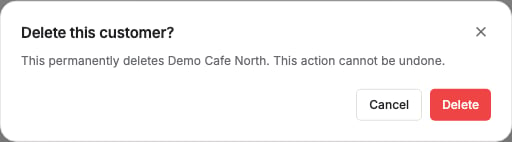
Which to use
- Use Inactive if you might resume trading with this customer, or you’re not sure.
- Use Delete only if you’re confident you no longer need this customer record — remembering that their history is preserved automatically if they have any.