

Before you begin
You must be a supplier administrator to invite, manage or remove team members. Other team members cannot access this page.Steps
Invite a team member
- Go to Settings → Users.
- Select New user.
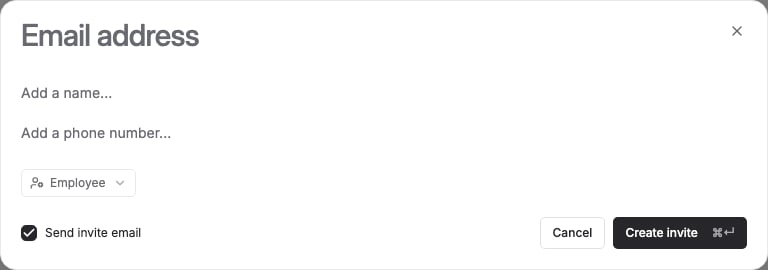
- Enter the person’s email address (required). You can also add their name and phone number.
- Choose their role — Admin (supplier administrator) or Employee (team member) — see Supplier roles below.
- Leave Send invite email checked to email them an invitation, or uncheck it to create the invite without sending an email.
Change a team member’s role
You can change a role while an invitation is still pending. Once someone has accepted their invitation, their role can no longer be changed from this screen.Remove a team member
From Settings → Users, select the team member and confirm removal.Supplier roles
FikaTrade has two roles at the company level:
This is the only level of access control FikaTrade currently offers at the company level — there are no more granular, per-feature permissions to assign.
We’ve verified that supplier administrator access is required specifically for company settings and team management. We haven’t yet verified every other screen in the workspace for a difference in what Admins and Employees can see or do — if you notice unexpected access differences elsewhere, treat this page as covering settings and team management only.