

Before you begin
Any team member can view and review an order.What’s on an order
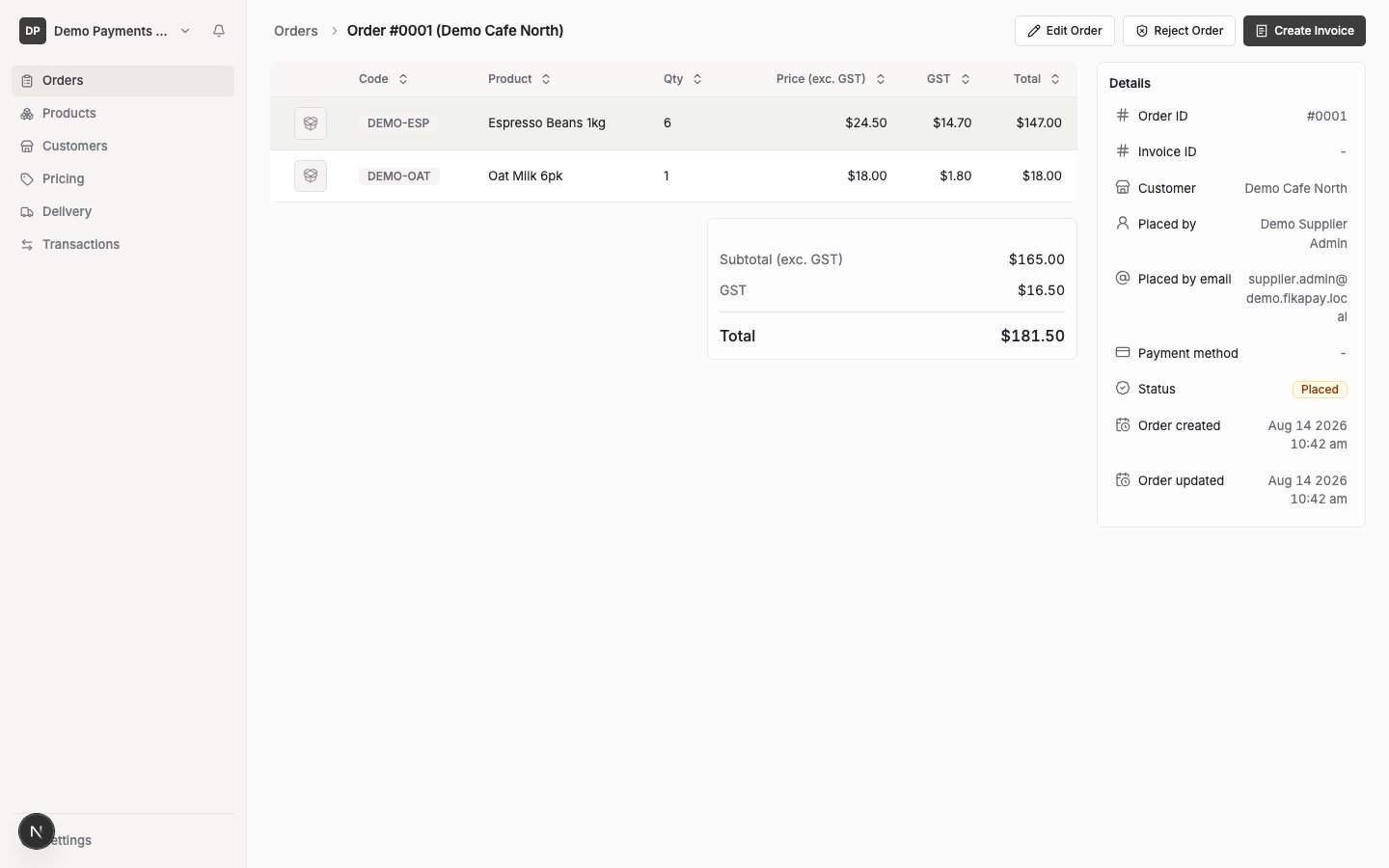
- The customer, and who placed the order
- Payment method
- Status
- Each line: product, quantity, unit price
- A delivery line, if the order includes delivery
- Subtotal (ex-GST), GST, and total
- Delivery date, delivery instructions, and delivery status, if the order’s fulfilment method is Delivery — see Delivery overview
What to check
- Quantities and products — make sure each line reflects what you can actually supply.
- Total — the subtotal, GST and total shown are calculated automatically from the order lines; there’s nothing to manually verify beyond the lines themselves adding up correctly.
- Customer and payment method — confirm this is the customer and payment arrangement you expect.