

Before you begin
- Your ABN is captured during onboarding — see Set up your company.
- Adding or replacing your settlement bank account can be done by any supplier team member.
- Creating a PayTo payment agreement for a customer requires a supplier administrator.
- Verifying your business and enabling payments for your workspace is done by FikaTrade, not by your team — there’s no self-service step for this in the product.
Steps
- FikaTrade verifies your business. After your ABN is captured at onboarding, FikaTrade staff review and verify your business before payments can be used. This isn’t something you complete yourself in the product — if payments aren’t yet available, you’ll see a message that verification is required.
- FikaTrade enables payments for your workspace. This is a separate, FikaTrade-controlled step from verification. Both must be complete before payment collection works.
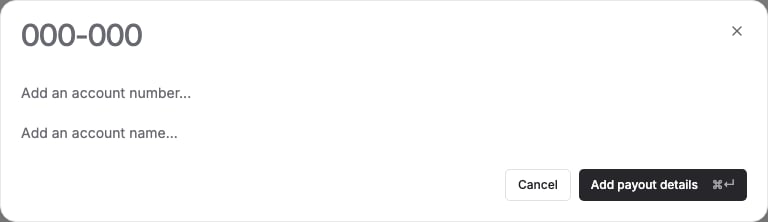
- Add your settlement bank account. Go to Settings → Payouts and enter your BSB, account number and account name. FikaTrade sends these to its payment provider and doesn’t store your full account details itself — only a masked reference is shown afterwards. You can replace these details later; doing so may be delayed if a payout is already in progress with the previous account.
- Set up a payment method for a customer. Once the above is done, set up PayTo or add a card for a specific customer, so they have a way to pay you on-platform.
What happens next
Once your business is verified, payments are enabled, and your bank account is on file, Collect Payment becomes usable on your invoices, provided the customer also has a usable payment method set up.Common issues
If any of these steps is incomplete, FikaTrade blocks payment actions and tells you which one:
If you see any of these and believe they’re wrong, contact FikaTrade support.