

Verified 2026-08-25: there’s no separate “Payment methods” section in the supplier workspace nav. PayTo agreements (and cards) are created from the customer’s own detail page.
Before you begin
Setting up a PayTo agreement requires a supplier administrator. Pausing or cancelling an existing agreement can be done by any team member on either side — yours or the customer’s.Steps
- Go to the customer’s detail page (Customers, then select the customer) and select New payment method.
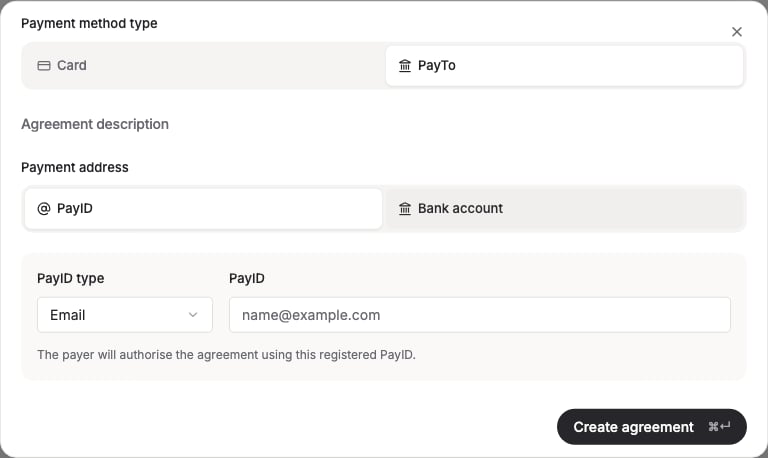
- Select PayTo as the payment method type. Add an optional agreement description, choose PayID or Bank account as the payment address, and (for PayID) choose a PayID type — Email, Phone, ABN, ACN or Organisation ID — and enter the PayID.
- Select Create agreement. FikaTrade sends the request to the customer’s bank, and the agreement starts in Pending status.
- Your customer authorises the agreement in their own online banking app — this step happens outside FikaTrade. There’s no in-app authorisation screen; FikaTrade only shows the resulting status once the customer’s bank reports it back.
- Once authorised, the agreement’s status becomes Active and it can be used to collect payment on the customer’s invoices.